
Neat Devices: Version 26.2.0. Release Notes for Neat Pad Pro and Neat Board 32
Last updated on June 12, 2026
If you’d like to get email updates about new releases, please subscribe here.
Contents
- 1. Introduction
- 2. Introducing Neat Pad Pro and Neat Board 32
- 3. Software versions in this release (26.2.0)
- 4.0. Bug fixes
- 5.0. Known issues
- 6. How to Check Your Software and Firmware Version
- 7. Need Help? We’re Here for You!
1. Introduction
This document describes new bug fixes and known issues in the 26.2.0 software releases for Neat Pad Pro and Neat Board 32.
- On Tuesday, May 16, we rolled out software updates for Neat Pad Pro and Neat Board 32 to our Stable Channel (NeatOS 26.2.0).
2. Introducing Neat Pad Pro and Neat Board 32
Neat Pad Pro
Introducing Neat Pad Pro—our most capable meeting room controller and scheduling display yet.
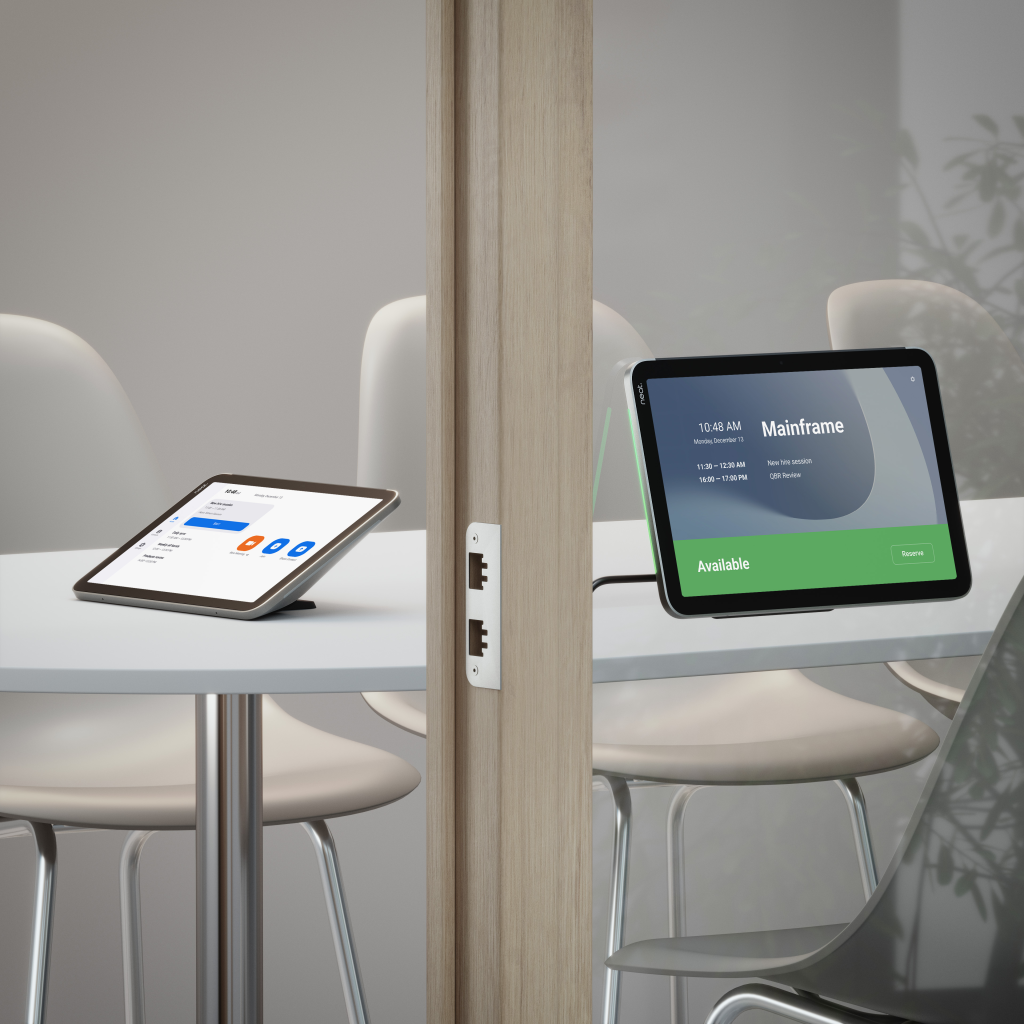
With a larger 10-inch silky-smooth, anti-glare touchscreen, Neat Pad Pro gives you a clearer, more responsive way to start meetings, control calls, and check room availability. Whether used inside the room as a controller or outside as a scheduler, it delivers a consistent, intuitive experience across your meeting spaces.
Neat Pad Pro is built to work seamlessly with leading video conferencing platforms, including Microsoft Teams and Zoom, delivering a familiar and optimized experience across your meeting rooms. It also supports room booking functionality, making it easy to manage spaces both inside and outside the room.
Built-in microphones extend audio pickup across the room, while flexible mounting options and a single Power over Ethernet (PoE) connection make installation simple and clutter-free.
With seamless integration across your Neat devices and centralized management through Neat Pulse, Neat Pad Pro brings together performance, flexibility, and simplicity—making it a powerful touchpoint for any modern meeting space.
See Neat Pad Pro in action: neat.no/pad-pro/
Neat Board 32
Introducing Neat Board 32—an all-in-one touchscreen device designed for simple, powerful video collaboration in small spaces.
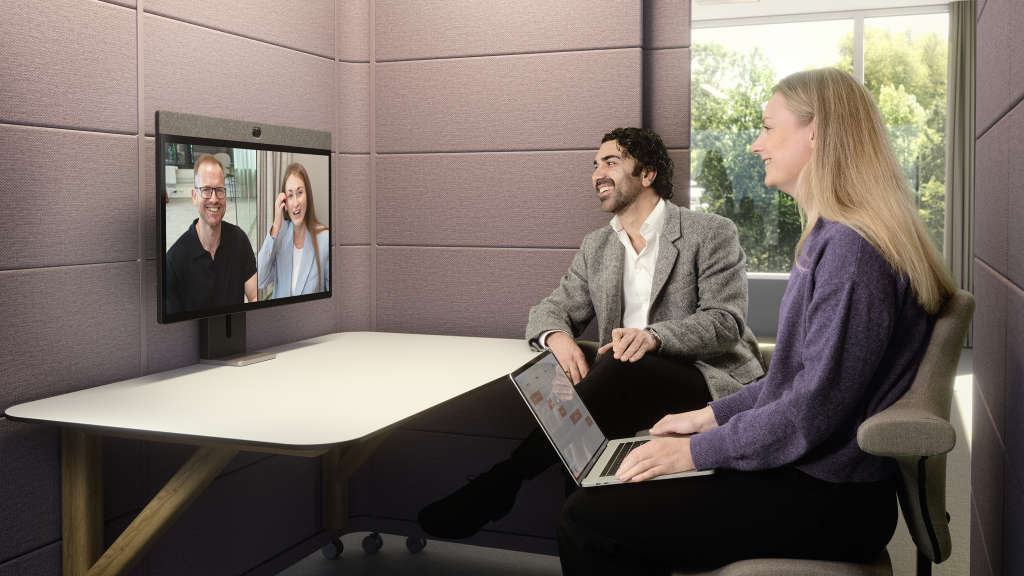
With its 32-inch anti-glare touchscreen, Neat Board 32 combines camera, audio, and display into a single, elegant device—ready to use straight out of the box. It’s ideal for focus rooms, huddle spaces, and personal work areas where flexibility and simplicity matter most.
Neat Board 32 works seamlessly with leading video conferencing platforms, including Zoom, and supports BYOD, making it easy to join meetings your way.
A wide-angle camera and advanced audio ensure everyone is clearly seen and heard, while the A wide 140° field-of-view camera and advanced audio system with beamforming microphones ensure everyone is clearly seen and heard, even in smaller spaces. At the same time, the responsive touchscreen enables natural whiteboarding, annotation, and real-time collaboration.
Neat Board 32 also doubles as a 4K display and docking station, allowing you to connect your laptop via USB-C and seamlessly transition between focused work and meetings—all through a single cable.
Explore Neat Board 32: neat.no/board-32/
3. Software versions in this release (26.2.0)
3.1. Neat Pad Pro
| Stable release (April 29, 2026) | Stable release (May 5, 2026) | Stable release (May 16, 2026) | |
| The Neat firmware builds: | Neat Pad Pro firmware: NFJ2.20260415.1510 Pulse Agent 2.3.44 Built in Chromium version: M141 | Neat Pad Pro firmware: NFJ2.20260415.1514 Pulse Agent 2.3.44 Built in Chromium version: M141 | New: Neat Pad Pro firmware: NFJ2.20260415.1518 New: Pulse Agent 2.4.29 Built in Chromium version: M141 |
| The built-in Zoom Room versions. More information about the latest versions of Zoom can be found here: New Updates for Zoom Rooms Android Controller | Zoom Room Controller software version: 7.0.2 (4923) | Zoom Room Controller software version: 7.0.2 (4923) | New: Zoom Room Controller software version: 7.0.5 (9775) |
| The built-in Microsoft Teams versions: More information about the latest versions of Microsoft Teams can be found here: Release notes for Microsoft Teams Rooms on Android What’s new in Microsoft Teams devices – Teams Displays and Panels | – Admin Agent (803): 1.0.0.202511230136.product – Authenticator: 6.2512.8111 –Microsoft Intune: 25.02.1 – Teams Rooms Devices MTR-A (2.9.0): 1449/1.0.96.2026087210 | – Admin Agent (803): 1.0.0.202511230136.product – Authenticator: 6.2512.8111 –Microsoft Intune: 25.02.1 – Teams Rooms Devices MTR-A (2.9.0): 1449/1.0.96.2026087210 | New – Admin Agent (820): 1.0.0.202604060507.product New –Authenticator: 6.2601.0189 –Microsoft Intune: 25.02.1 – Teams Rooms Devices MTR-A (2.9.0): 1449/1.0.96.2026087210 |
3.2. Neat Board 32
| Stable release (April 29, 2026) | Stable release (May 5, 2026) | Stable release (May 16, 2026) | |
| The Neat firmware builds: | Neat Board 32 firmware: NFM2.20260415.1510 Pulse Agent 2.3.44 Built in Chromium version: M141 | Neat Board 32 firmware: NFM2.20260415.1514 Pulse Agent 2.3.44 Built in Chromium version: M141 | New: Neat Board 32 firmware: NFM2.20260415.1518 New: Pulse Agent 2.4.29 Built in Chromium version: M141 |
| The built-in Zoom Room versions. More information about the latest versions of Zoom can be found here: New updates for Zoom Room Appliances For those on auto-updates on the Stable Channel or using Neat Pulse | Zoom Room Appliance software version: 7.0.2 (9666) | Zoom Room Appliance software version: 7.0.2 (9666) | New: Zoom Room Appliance software version: 7.0.5 (5035) |
4.0. Bug fixes
4.1. Bug fixes across all Neat devices
The following fixes apply across all supported Neat devices unless otherwise specified
| Issue reference | Description |
| CUS-1904 | Fixed an issue where configuring an excessively long NTP (time server) address through the device’s management API could cause the device to enter a continuous reboot loop, in some cases requiring a factory reset to recover. NTP address handling has been redesigned to safely accept full-length server hostnames, ensuring stable operation regardless of the address provided. |
5.0. Known issues
5.1. Known issues across all Neat Devices
The following known issues may affect multiple Neat devices.
| Issue reference | Description |
| INBUGS-4320 | We’ve identified an issue where pairing a Neat Pad Pro to a Neat Bar device over a WPA3 Personal-only Wi-Fi network may fail. This is because Neat Bar devices do not yet support WPA3 Personal, preventing successful pairing in these environments. As a workaround, you can pair the devices using a WPA2-only network or a mixed WPA2/WPA3 SSID. Support for WPA3 Personal on Neat Bar devices is planned for a future release |
6. How to Check Your Software and Firmware Version
Here’s how to find out if your Neat device is running the latest build:
- For Zoom Rooms: Select Settings (bottom left) on your Neat Pad, Neat Board, or Neat Frame, then select About. You’ll see the Zoom software version on the right.
- For Microsoft Teams: Select More on the main screen, then go to Settings → About to view the Microsoft Teams software version.
- For Neat Firmware: On your device, go to System Settings → System → About to find the firmware version and serial number.
You can also check the Zoom Room administrator portal or the Teams Admin Center (TAC) online to see the serial number and firmware version of your Neat devices.
7. Need Help? We’re Here for You!
For quick answers and troubleshooting, check out our Neat Support website, where you’ll find helpful articles, FAQs, and step-by-step guides. We regularly update our content to make finding solutions easier.
If you need further assistance, our support team is ready to help! Simply raise a support ticket with us, and one of our technical support engineers will get back to you.
- Support Policy: Neat provides support for devices running the current or previous software release. For full details, see Neat’s Technical Support Policy.
- Privacy Policy: You can review our privacy policy here: Neat Privacy Policy.